Watch a Gemini chat become files on your PC.
This page shows one complete download, recorded on a Windows PC — from the website to two files in a folder on the drive.
One account, start to finish
Recorded on the Free Tier with an on-camera Pro activation so Gemini is selectable, followed by the Smart Search Engine (SSE) add-on demo. No speed changes — every second of the download is real time.
What's different about Gemini
Every provider here exports to the same two files, in the same folder layout. What changes is the path in — and that is the part this recording shows.
- 01Pro only — Gemini sits outside the Free Tier's three providers, so the recording unlocks Pro on camera before it becomes selectable.
- 0286 conversations written one at a time, with the log naming each as it lands.
- 03Real time throughout: dead waits are cut out rather than sped up.
- 04Includes the Smart Search Engine (SSE) add-on walkthrough.
What happens in the video
0:03Start on the website
The landing page and official Microsoft Store installation.
0:10Microsoft Store install
One-click install from the Microsoft Store with zero security warnings.
0:27App launch
TotalRecalls launches cleanly with no background services or system drivers.
0:46The app opens on Free
The provider list shows what the Free Tier includes; Gemini is unlocked with Pro.
1:03Activate Pro
Gemini is outside the Free Tier's three providers, so the demo unlocks Pro with a key in the app.
1:06Select Gemini and connect
Step 1 Gemini, Step 2 sign in — the sign-in window opens on your own PC. 86 conversations are ready to archive.
1:22Download
86 conversations, written one at a time to the folder you chose. The live log names each one as it lands.
2:41The files
The conversation opens as Markdown, then as JSON. Both are ordinary files on your drive.
3:02Smart Search Engine (SSE)
The SSE add-on walkthrough: plain-English semantic search across your downloaded chats.
What's on your drive afterward
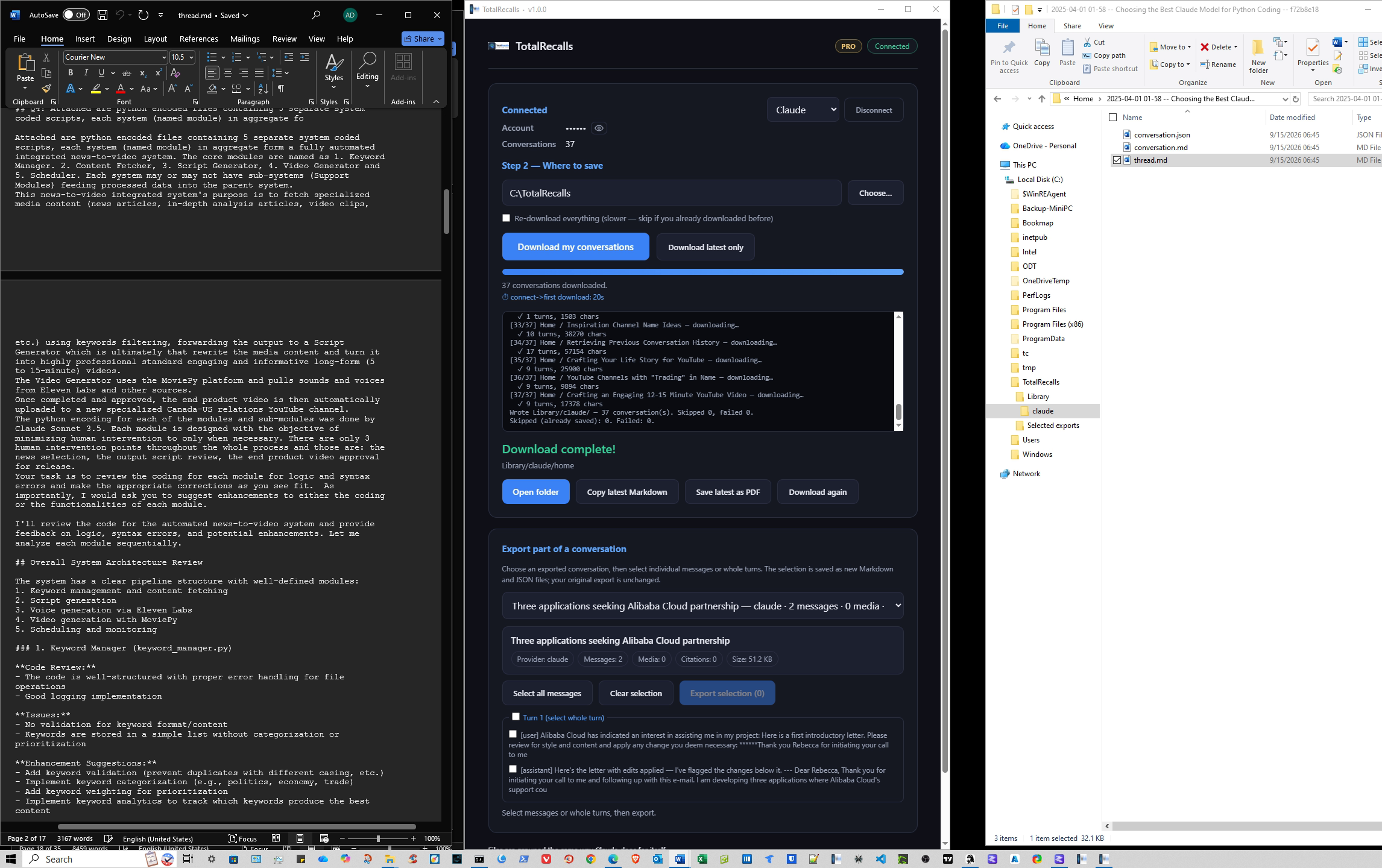
The folder
One Library, with a subfolder for each provider.
The Markdown file
The full conversation in readable text, with headings and code blocks intact.
The JSON file
The same chat as structured data, ready for search or other tools.
These files open without TotalRecalls. Copy them, back them up, or search them like any other document on your PC.
C:\TotalRecalls\Library\gemini\MDJSON●Saved locallyRun the same download on your own chats
The Free Tier includes ChatGPT, Claude, and Perplexity, with up to 5 conversations each. You don't need a card or an account.
Windows 10 and 11. Certified and distributed through the Microsoft Store — one-click install, no security warnings.
Want every provider and no download cap?
Compare Free and Pro →Show transcript
The recording has no audio, so there's nothing to transcribe — this is the sequence of the walkthrough, with the timecode where each beat happens in the video.
- 0:03 — Start on the website. The landing page and official Microsoft Store installation.
- 0:10 — Microsoft Store install. One-click install from the Microsoft Store with zero security warnings.
- 0:27 — App launch. TotalRecalls launches cleanly with no background services or system drivers.
- 0:46 — The app opens on Free. The provider list shows what the Free Tier includes; Gemini is unlocked with Pro.
- 1:03 — Activate Pro. Gemini is outside the Free Tier's three providers, so the demo unlocks Pro with a key in the app.
- 1:06 — Select Gemini and connect. Step 1 Gemini, Step 2 sign in — the sign-in window opens on your own PC. 86 conversations are ready to archive.
- 1:22 — Download. 86 conversations, written one at a time to the folder you chose. The live log names each one as it lands.
- 2:41 — The files. The conversation opens as Markdown, then as JSON. Both are ordinary files on your drive.
- 3:02 — Smart Search Engine (SSE). The SSE add-on walkthrough: plain-English semantic search across your downloaded chats.